
UNOFFICIAL / INTEROPERABILITY PROJECT
ZeTime · Python client + CLI

Keep your ZeTime working, no MyKronoz app required

MyKronoz shut down: their website is offline and both official Android apps hard‑require a login call to a backend that no longer exists, so neither can pair with a watch anymore — even though the watch itself still works fine. We don't offer a phone app — most people will still want one, and building one is a real undertaking we haven't done. What we offer is the foundation for it: the watch's Bluetooth protocol, fully reverse‑engineered and documented, plus a working Python client and CLI that proves every piece of it against real hardware. Use it directly from a computer today, or build the mobile app on top of it.

REFERENCE IMPLEMENTATION PYTHON 3.10+ CLI NOT A MOBILE APP
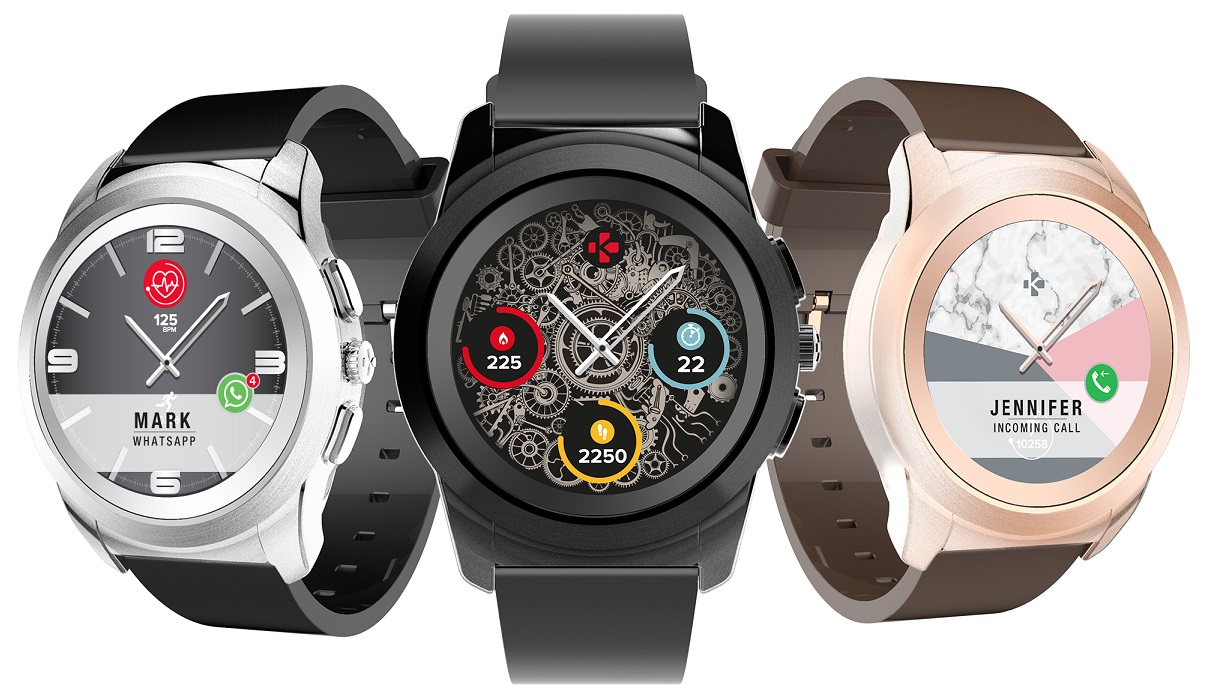
Three MyKronoz ZeTime watches
01

Why this exists

Every feature of a ZeTime — notifications, alarms, activity history, watchface uploads — normally goes through MyKronoz's own Android app, which itself needs a live server that MyKronoz has since taken offline. That leaves every ZeTime owner with hardware that still works perfectly but no supported way to actually use it. This project reconstructs the watch's own Bluetooth protocol so that's no longer true — but it's worth being precise about what's actually being handed to you.

What you get

  • The watch's Bluetooth protocol, fully reverse‑engineered and documented — every opcode, every payload byte, cross‑checked against multiple independent sources.
  • A working Python client and CLI that proves every documented piece against real hardware, usable directly from a computer.
  • A real foundation to build an Android or iPhone app on — the protocol work is the hard, slow part; this project has already done it.

What you don't get

  • A phone app. Most people will want one — we haven't built it, and it's a genuinely separate project.
  • A MyKronoz replacement service or account of any kind — nothing here talks to a server, MyKronoz's or otherwise.
  • A one‑click consumer install — using this today means running Python, or building on it.
115+Opcodes documented
82Live‑test sessions
0MyKronoz servers involved
3Independent sources cross‑checked
02

What it can do

Telemetry & history LIVE

Battery level, serial number, firmware/hardware version. Full step, sleep, and heart‑rate history, with the paging logic that reliably pulls every stored record.

Notifications LIVE

Push SMS, missed/incoming/ended calls, social, email, calendar, and message‑with‑sender notifications — one command at a time, not automatic forwarding of this machine's own notifications.

Alarms & reminders LIVE

Create, edit, list, and genuinely delete alarms and reminders — including the slot‑freeing delete trick this project found, not just a hide‑in‑place workaround.

Quick‑reply presets LIVE

Full CRUD for the canned reply text offered on an SMS/social notification — confirmed to actually populate the watch's own on‑screen reply menu.

Settings MIXED

Language, units, volume, brightness, snooze, text size, wrist, and do‑not‑disturb are all live‑confirmed. Goals, per‑event vibration style, and physical button remapping are implemented but not yet tested against real hardware.

Calendar & weather LIVE

Push calendar events and clear the calendar; push weather (also the only way to clear a stuck/stale location on the watch face).

Custom watchfaces LIVE

Upload any photo as a real custom watchface — the full transfer, confirmed end‑to‑end on real hardware, not just negotiated. Place live widgets (date, battery, heart‑rate, steps, and more) directly on top of the image, and switch between already‑installed faces without re‑uploading anything.

Interactive shell & event listener

zetime shell keeps one connection open across many commands; zetime listen prints watch‑initiated events (music control, camera remote, quick‑reply, SOS) as they happen.

03

Install

Requires Python 3.10+, a Bluetooth adapter, and (developed and tested against) Linux/BlueZ — other bleak-supported platforms should mostly work with minor adjustments.

1
Download and install

Download the archive, unzip it, then:

cd zetime-python-client
python3 -m venv .venv
./.venv/bin/pip install -e ".[dev]"
2
Pair the watch at the OS level

Once, using your system's Bluetooth tools (e.g. bluetoothctl): scan, pair, trust, connect. It stays bonded after that — you won't need to re‑pair each session.

3
Point the CLI at your watch

export ZETIME_ADDRESS=XX:XX:XX:XX:XX:XX (or pass --address on every command), then start running commands. The CLI reconnects automatically and prints a status line if it has to fall back to scanning, so a slow connection never looks like a silent hang.

04

Command cheatsheet

A representative slice — add --json to any data command for machine‑readable output.

zetime battery                  # -> "81%"
zetime info                     # serial number, firmware/hardware version
zetime set-time                 # push the current time to the watch
zetime steps / sleep / heart-rate       # activity history
zetime settings get/set volume 75
zetime user-info set --sex female --age 30 --height 170 --weight 62.5
zetime notify sms "hello there"
zetime notify social whatsapp "New chat"
zetime notify message whatsapp "Meeting moved" "See you at 3pm instead"
zetime calendar clear
zetime alarm create --hour 7 --minute 30 --cycle 127
zetime alarm delete --hour 7 --minute 30 --cycle 127
zetime quick-reply add "On my way"
zetime watchface prepare photo.jpg      # offline preview, no watch needed
zetime watchface upload photo.jpg --date-pos 85,15 --battery-pos 180,15
zetime watchface switch other-photo.jpg # jump to an already-installed face, no re-upload
zetime watchface delete --all
zetime dnd set --start-hour 22 --start-minute 0 --end-hour 7 --end-minute 0
zetime button set up alarm
zetime goals set step 10000
zetime shell                    # one connection, many commands
zetime listen                   # print watch-initiated events
zetime debug gatt-dump          # list all GATT services/characteristics
05

Download

zetime‑python‑client.zip

The full library and CLI (src/zetime), its test suite, and the complete protocol documentation — everything needed to install and run it, or to read and extend it.

Download the .zip

A handful of opcodes are genuinely destructive (factory reset, wiping historical data) or unconfirmed on real hardware, and are flagged as such throughout the code and the reference. Check a command's own status marker (✅ live-confirmed, ⚠️ unconfirmed, ❌ destructive) before scripting anything unattended.

06

Protocol reference

Everything the client is built on is documented separately from the code, in two forms — pick whichever matches what you're doing:

FOR PEOPLE

Human‑readable overview

A narrative walkthrough of the protocol — transport, framing, notable payloads, and the current state of trickier features like custom watchfaces. Start here if you're deciding whether to build on this.

Read the overview →
FOR AGENTS

Complete technical reference

Every opcode, every payload byte, every caveat — a full static rendering of the project's protocol documentation, no summarizing. Point an AI coding agent at this URL directly if you're building a client of your own.

Read the full reference →

Why this is legitimate

This is interoperability work on hardware its owner bought, for a vendor that no longer offers any way to use it. No MyKronoz servers or accounts are involved, and no copyrighted assets are redistributed — only protocol knowledge and original code, published so other ZeTime owners can keep using hardware they already paid for.