
Talking to a ZeTime after MyKronoz is gone
MyKronoz shut down: the website is offline and both official Android apps hard‑require a login call to a backend that no longer exists, so neither app can pair with a watch anymore even though the watch itself works fine. This page summarizes what's been reverse‑engineered about the ZeTime's own Bluetooth LE protocol — enough to run a watch you already own with no MyKronoz app, account, or server involved at all.
Reading the markers. LIVE means confirmed against real hardware in this project. STATIC is high‑confidence analysis of decompiled app/firmware code, usually cross‑checked against multiple sources, but not yet sent to a watch. DESTRUCTIVE/AVOID mean exactly that. This is the narrative overview — for the complete, exhaustive technical reference (every opcode, every payload byte), see the full protocol reference, which is also what you should point an AI coding agent at directly if you're building your own client.
Transport & GATT map
The watch advertises as ZeTime#<serial> on a standard public BLE address —
no discovery trickery, no pairing secret. Everything useful lives on one GATT service,
0x6006, spread across four characteristics.
| Char | Direction | Props | Purpose |
|---|---|---|---|
8001 | phone → watch | write‑no‑response | Send a command packet, or one 20‑byte fragment of a longer one. |
8002 | watch → phone | notify + write | Primary ack/response channel — and where the phone must also write a single 0x03 "ack kick" byte after every command. |
8003 | phone → watch | read, write (no notify) | Reply‑only. Used exclusively to answer watch‑initiated exchanges (music, camera, quick‑reply). Never notifies — the watch only reads it. |
8004 | watch → phone | notify + write | Async watch‑initiated pushes: real‑time heart rate, music queries, call control. |
Extended service 0x7006
Named in the decompiled app and registered by Gadgetbridge's coordinator, but not observed in a live GATT scan of this unit and used for nothing concrete. Probably vestigial, or relevant to other Appscomm devices. Safe to ignore.
DFU service 0x1530 “Apollo”
Control point 0x1531, data channel 0x1532 — a close match to Nordic's "Legacy DFU". Not visible in normal operation; the working theory is it only appears after 0x0E puts the watch into upgrade mode.
The silicon
“Apollo” isn't a nickname: the main MCU is a real Ambiq Apollo2 (Cortex‑M4F), confirmed by leftover debug paths in the firmware, plus external NAND flash and a per‑chip OTA subsystem tracking the heart‑rate and touch chips separately.
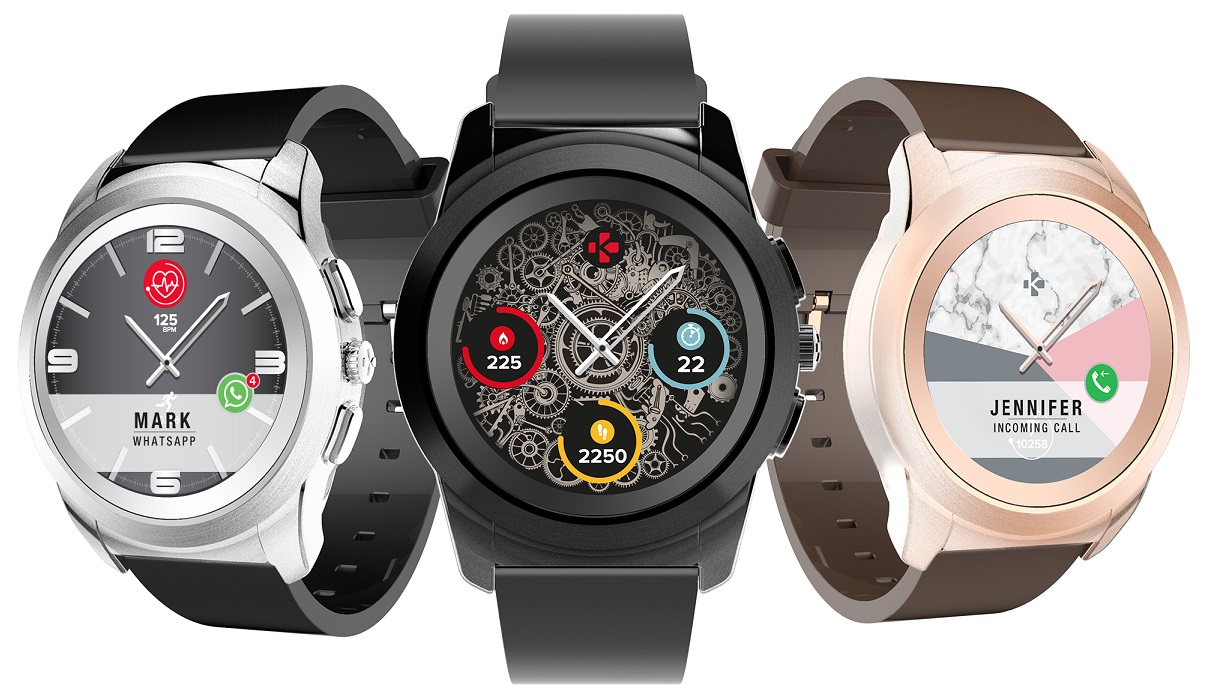
From the official 626‑page manual: BLE 4.2; 240×240 px display (matches the watchface image size below); 3‑axis accelerometer + optical HR only, no GPS chip — so the GPS opcodes must relay location the phone already has; 10 days of offline data; up to 10 designable watchfaces but only 4 resident on the watch at once, 4 widgets each.
Packet framing LIVE
6F [cmd:1] [action:1] [len:2 LE] [payload:len] 8F. A declared length of zero is
rejected in both directions — a “bare” request with no payload byte gets silently
dropped, which looks like a dead watch until you know this.
#      battery request / response, confirmed live
>> 6F 08 70 01 00 00 8F      # cmd=0x08 BATTERY, action=0x70 CHECK, len=1, payload=[0x00]
<< 6F 08 80 01 00 56 8F      # action=0x80 CHECK_RESPONSE, payload=[0x56] -> 86%
The “ack kick”
After writing a command to 0x8001, the phone must also write a single 0x03 byte to 0x8002, or the watch never replies — it's literally send03ToDevice() in the official app. For a fragmented (>20‑byte) message, the kick goes once, after all fragments.
Request length isn't always 1
A singleton value (battery, most settings) needs len=1, [0x00]. Paged fetches (steps, sleep) need len=2, [0x00,0x00] instead — almost certainly a start‑index argument. Heart rate uses the singleton form despite also being a records fetch.
The watch initiates too
Not a pure request/response protocol: the watch starts its own exchanges for music control, the camera shutter, quick‑reply, call control, and hand calibration. The phone answers on 0x8003, action 0x80, with no ack kick involved.
Connection quirks LIVE
The link drops on its own after inactivity while staying bonded, and the screen must be awake for commands to register. The watch also only advertises intermittently — the reliable approach is to scan and connect the instant an advertisement appears, not blindly retry a direct connect.
Action & status bytes LIVE
0x70 CHECK / 0x80 CHECK_RESPONSE for gets, 0x71 SET / 0x81 SET_RESPONSE for sets, plus a generic 0x01 RESPONSE wrapper carrying [echoed_cmd, status] (0=success, 1=fail, 2=parse error). Confirmed live for free: reading the ack characteristic before sending anything returned a stale cached value left over from a real session with the official app.
The legacy 0x6E family
A separate, older namespace with its own simpler frame (6E 01 [cmd] [payload…] 8F, no action byte) — traced to the exact same underlying command builder as the modern framing, just a different constructor flag. Every real call site in the app hardcodes the modern path, so all 29 of its opcodes are real but 100% unreachable from the current app build.
Pairing & auth: there is nothing to defeat
No bind handshake needed LIVE
BIND_START/BIND_END (0x93/0x94) exist, but sending them to an already‑bonded watch destabilized the link — broken‑link icon, dropped connection. A real client (this one, and Gadgetbridge) skips both entirely: just enable notifications and start asking for device info.
Why the experiment failed, per the manual: real pairing needs a tap on the watch's own touchscreen prompt — a human step no client can provide. Not a protocol to reverse‑engineer harder; a step to skip.
The one thing that looks like crypto
WATCH_MOVE_KEEP (0xB8), the analog‑hand movement command, carries what reads as a ciphertext challenge/response. Not decoded, and not required for anything else this project has built. Otherwise: no authentication, no session key, no signing anywhere in the protocol.
Opcode highlights
Over 115 opcodes are documented from the decompiled BluetoothCommandConstant.java,
cross‑checked against Gadgetbridge wherever they overlap. A handful worth knowing about on their
own — the full
table has the rest.
| Hex | Name | Status | Notes |
|---|---|---|---|
0x1F | CUSTOMIZE_WATCH_FACE_PRO | LIVE | Delete confirmed live — [0x01] deletes every custom watchface, [0x00,crc] deletes one by CRC. The matching bulk‑GET always fails; the app never calls it either. |
0x20 | CUSTOMIZE_WATCH_FACE_SET | LIVE | The 23‑byte negotiation for pushing a new watchface. See the watchface section below — this is where the interesting recent work happened. |
0x2E | CUSTOMIZE_BUTTON | STATIC | Remap the two case buttons and the crown press/hold to one of 20 functions. Implemented, deliberately not live‑tested. |
0xDA/0xDB | CUSTOMIZE_COUNT_CRC / CUSTOMIZE_REPLY | LIVE | Despite the watchface‑sounding names, this is the preset SMS/social quick‑reply text feature — full CRUD, confirmed to drive the watch's own on‑screen reply menu. |
0x76 | SOCIAL_EX_PUSH | LIVE | The real notification path — the simpler 0x70‑0x75 pushes are all rejected by real hardware. Needed a trailing replyCapable byte the docs originally missed before WhatsApp notifications would show a reply option. |
0x23 | FIND_DEVICE | LIVE | The reverse of "find my phone" — the official app itself never wires this up. Live‑tested: no response, no observable effect on this hardware. |
Payloads worth the detail
The 8‑hour timestamp quirk LIVE
Every timestamp from steps, sleep, and heart‑rate records needs +28800 seconds added before correcting for local time. Verified live against records with known real‑world times — firmware behavior, not a client bug. Nobody knows why; a hardcoded UTC+8 somewhere in the build is the obvious guess.
Time sync & the second‑timezone drift
The primary clock is only ever whatever was last pushed via the time‑sync opcode. A watch face's home‑city line is computed on the watch from a separately‑stored timezone offset — push a date from a different DST season and the two visibly diverge. Neither opcode is buggy; they just have to agree.
Weather
Exactly three forecast days, temperature as kelvin − 273 (truncated, not −273.15). The 25‑value condition‑icon enum is firmware‑version‑gated — releases at or after a certain build use a newer icon mapping.
The alarm delete that doesn't exist LIVE
There's no delete opcode for alarms in either source. The real mechanism is a deliberate misuse of the edit frame: with an edit‑flag other than the normal 0x01, editing an entry into an exact copy of itself makes the watch delete the original instead of erroring — a genuine slot‑freeing delete, confirmed live, found after two earlier rounds only reached hide‑not‑free workarounds.
Alarms & reminders are one mechanism
Despite the official app suggesting five generations of reminder opcode, a working client needs exactly one, 0x97, for create/edit/read. The "opaque" identifying blob the app implies you need is just the entry's own field bytes — fully recomputable, no round‑trip required.
Preset quick‑reply text LIVE
Full add/edit/delete CRUD for the canned replies offered on an SMS/social notification — up to 10 slots, UTF‑16 encoded (the one field in the whole protocol that isn't UTF‑8). Confirmed live that changing a preset on the phone actually changes what shows up in the watch's own reply menu, not just what this project can send.
The language table had two real bugs LIVE
All 19 indices (0–18) were swept live against the app's own documented table, and it was wrong twice: index 6 is actually Spanish and 7 is French, not the other way round; index 18 is Swedish, not Czech. One index (17) renders in the same Hebrew script as 16 and is real but visually indistinguishable from it — which specific language it is remains unresolved.
Notifications & watch‑initiated events
The documented “simple push” shapes (0x70–0x75,
[type][content]) are rejected by real hardware — a gap found only by
testing live. Everything routes through the richer 0x76 SOCIAL_EX_PUSH instead.
Answering the watch LIVE
Camera remote and SMS quick‑reply both expect an answer: leave them hanging and the watch shows its own failure state. The fix is that the generic [echoed_cmd, status] ack shape works in reverse too, written to 0x8003 — confirmed live for both.
replyCapable actually matters LIVE
A trailing byte on 0x76 this project's own encoder originally left out. With it set, notify social whatsapp produces a real quick‑reply UI on the watch that notify social facebook correctly doesn't — live‑confirmed the exact mechanism behind a question that had been open since early in the project.
Push types — all 22 values verified
Every value 0–21 in the app's own table was pushed live and checked. Each renders a distinct icon, except 4 (Calendar), which is accepted but displays nothing.
Custom watchfaces LIVE
This is the feature that took the longest to get right, and it's now the one worth the most: upload any photo as a real custom watchface, place live widgets on top of it, and switch between installed faces — all confirmed end‑to‑end against real hardware, with the watch's own screen as the proof each time. Gadgetbridge doesn't implement any of this, so there was no working reference to check against; the path here ran entirely through the watch's own bootloader-level transfer protocol, cross‑checked against two different official app releases that turned out to disagree with each other in ways that mattered.
Image format
Two bitmaps — a 240×240 face and a 180×180 thumbnail — both converted from RGB888 to 16‑bit BGR565, little‑endian, row‑major. Concatenated, that's 180,000 bytes total, plus an 8‑byte trailer carrying a CRC16 and a slot marker.
Deletion LIVE
[0x01] alone deletes every custom face; [0x00, crc] deletes one by CRC. Delete‑all was confirmed against a watch with four real custom faces installed — clean success, fell back to a built‑in default.
The full upload, start to finish LIVE
A CRC check gets a target address and slot; a 23‑byte negotiation (carrying that CRC and any widget positions) puts the watch into a DFU‑style loading state; the watch then re‑advertises under a computed, renamed Bluetooth identity, which this project reconnects to; the image streams across in roughly 175 two‑kilobyte chunks over a separate bootloader service, each individually acknowledged; a final CRC check and an activate command finish it off. Every stage of that sequence — not just the easy parts — is now confirmed live, repeatedly, with the watch genuinely rendering the uploaded photo afterward.
Widgets LIVE
Date, battery, heart‑rate, steps, calories, distance, weather, a running seconds indicator, and a home‑timezone readout can all be placed at a pixel position on top of the uploaded image, sent as part of the same negotiation that starts the transfer. Confirmed live with a real photo: both requested widgets rendered on the watch, in the requested spots — small and low‑contrast against a busy image, since this payload has no per‑widget color control, so a clear patch behind an intended widget position is worth planning for in the source image itself.
Switching without re‑uploading LIVE
Sending the CRC of an image the watch already has installed doesn't just report a match — a single lightweight follow‑up request actually switches the watch's active display to that face. No new transfer, no reconnect dance: with two custom faces already on the watch, this genuinely flips which one is showing in under a second.
Two official apps, two different answers
The most useful lesson from getting here: MyKronoz shipped at least two app generations with real, live‑traceable differences in this exact transfer — one older release skips a small handshake step and moves data in ~200‑byte pieces, a newer one sends that handshake first and moves data in ~2,000‑byte pieces. Both are genuine, correctly‑decompiled behavior; they're just from different points in MyKronoz's own history. The real watch's firmware matched the newer app, not the one that happened to be open first — worth checking both, every time, rather than trusting whichever decompile is already on hand.
Try it: zetime watchface upload photo.jpg --date-pos 85,15 --battery-pos 180,15, then
zetime watchface switch other-photo.jpg to flip back. Full byte‑level detail,
including every stage's exact wire format, on
the full reference page.
Bugs in the official app — do not replicate
0x32 UserName
Allocates a 1‑byte array then copies 16 bytes into it — would throw at runtime. Just send a properly zero‑padded 16‑byte UTF‑8 buffer.
0x95/0x97 reminder year
Decoded with a bitwise AND instead of a proper little‑endian combine. Treat any year value from these two opcodes as unverified.
0x9B targets the wrong opcode
The richest reminder class's own SET constructor sends 0x97 instead of itself — a copy‑paste bug. A real client should just target 0x97 for everything, matching the app's actual on‑wire behavior rather than its buggy source.
Sources & method
Nothing here rests on a single source. MyKronoz's own shipped code (two app generations), a community write‑up built with no access to that code, and Gadgetbridge's actually‑working Java client agree on every byte documented here — and the watch itself is the tiebreaker where they don't. The stack is a white‑label one called Appscomm, used by many brands, which is partly why so much of it is independently documented elsewhere at all.
Decompiled apps
The original dedicated ZeTime 1.8.2 app (unobfuscated) and the newer MyKronoz universal app (obfuscated but traceable), both via JADX. The universal app also bundles a cleaner, richer SDK package.
Working reference client
Gadgetbridge's ZeTime support — a real, working device‑support class that's the primary cross‑check for most payload formats here. Two development threads with real ZeTime‑specific discussion: pull request #1148 and issue #1099.
Firmware & manual
Real OTA firmware packages — from a community‑shared archive (credit: Reddit user tklightforce) — inspected byte‑by‑byte, plus disassembly of the main MCU's firmware image. Plus the official consumer manual — no protocol content, but useful for cross‑checks.
This project's own testing
82 logged research sessions of live testing against real hardware — behind every LIVE marker throughout this page and the full reference.
Community discussion
Two XDA Forums threads covering community ZeTime work outside the official app: testing Gadgetbridge with ZeTime support and a modified ZeTime app adding notification support for more apps.
Gadgetbridge's ZeTime device page
An independent, community‑maintained overview of ZeTime support — useful context alongside the protocol write‑up cited throughout this page.
Why this is legitimate
This is interoperability work on hardware its owner bought, for a vendor that no longer offers any way to use it. No MyKronoz servers or accounts are involved, and no copyrighted assets are redistributed — only protocol knowledge, extracted to keep already‑purchased hardware working. If you get further pieces working, consider upstreaming the tested parts to Gadgetbridge so other ZeTime owners benefit.